
Step 1. Install ShareX
Find ShareX on the ShareX website
Step 2. Install the Kappa.lol Uploader
Navigate to the kappa.lol uploaders page and select the ShareX Config, when prompted, open w/ShareX as shown and select yes.
Step 3. Open ShareX Task Settings
You'll need to navigate to your hidden icons tab, right click ShareX and select task settings.
Step 4. Copy settings as shown
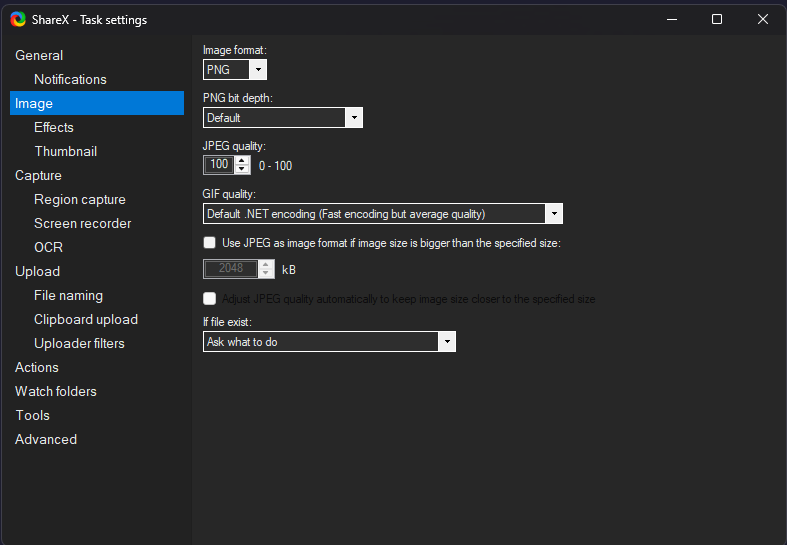
Step 5. Changing the After Capture and Upload Tasks
a. Navigate to after capture tasks and ensure the only thing selected is "Upload image to host"
b. Navigate to after upload tasks and ensure the only thing selected is "Copy URL to Clipboard"
Step 6(ish). How-to
Screen-capping is as easy as navigating to the area and select ShareX, select the area and it'll automatically upload. This is the one I took :)
That's it! If you have issues, find me in my Discord or in my Twitch chat