
"Wow, your graphics are great! How do I do that?" - Twitch Chat
Although I don't think my game looks that good, I'm glad you think so.
I really only use ENB while in FiveM, it can be found on enbdev.com
Once you download it, extract the "WrapperVersion" folder to your desktop
After doing so, navigate to your GTA Directory, most commonly found in
ProgramFiles (x86)/Steam/steamapps/common/Grand Theft Auto 5 and extract all the files in "WrapperVersion" into your GTAV Main Directory
Once this has been completed, you need to copy d3d11.dll into your FiveM App Data Plugins Folder commonly found C:\Users\[YOURPC]\AppData\Local\FiveM\FiveM.app\plugins
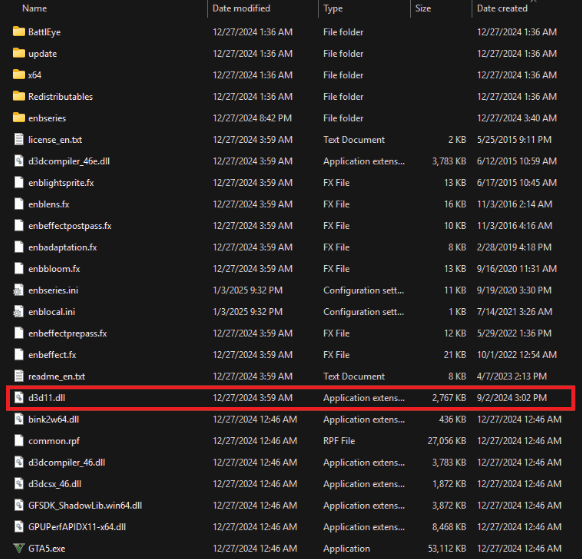
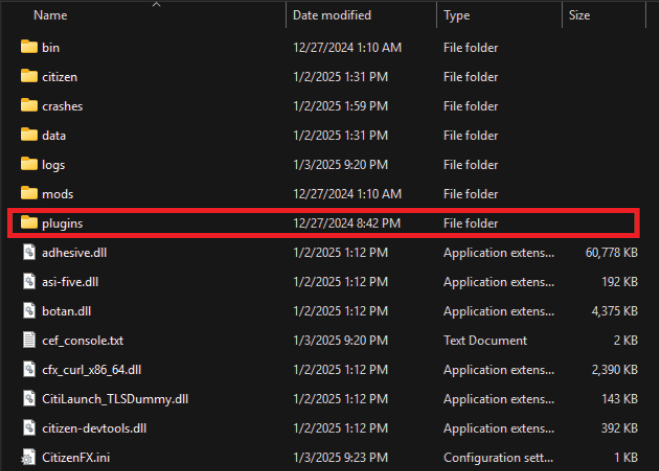
After that you should be good to go! The default key bind to open the ENB Menu in game is
Shift +Enter, find some settings you like, for Police Lights you'll want to navigate to the vehicle tab,
from here, the EmitterIntensity and EmitterReflectionAmount are the settings to tweak to your liking
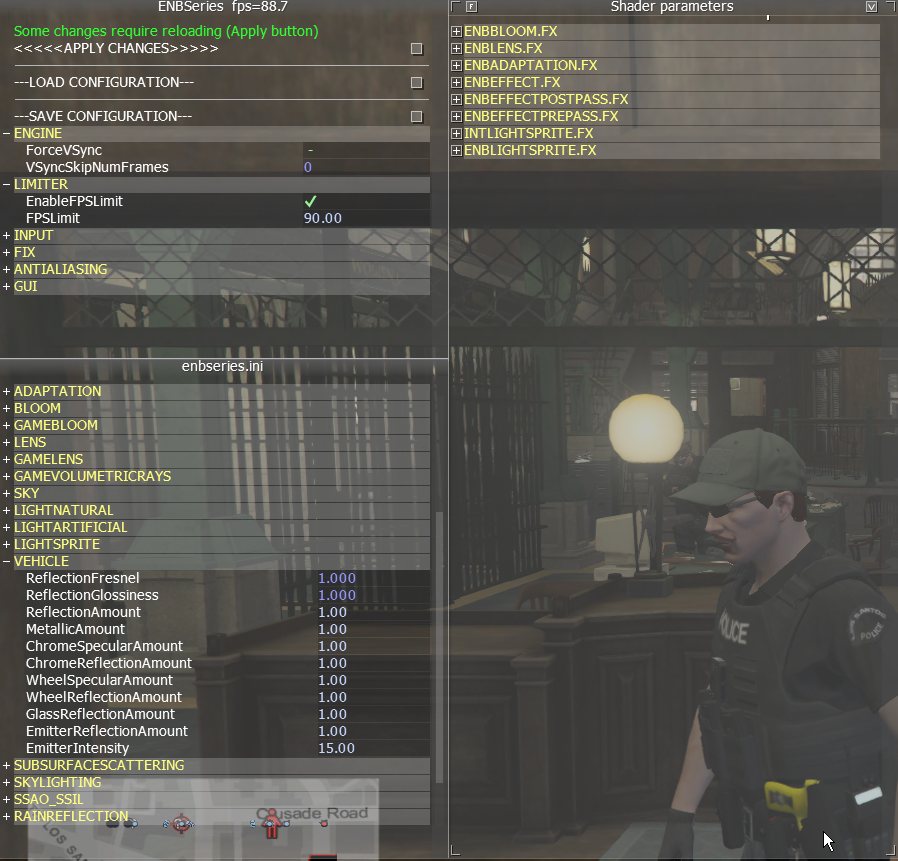
That's it! If you have issues, find me in my Discord or in my Twitch chat