
This is a guide to ensure that music you play won't make it to your Twitch VOD and prevent copyright strikes, your VOD getting muted, all that good stuff 🙂
- Open OBS and navigate to your settings panel, then the output tab
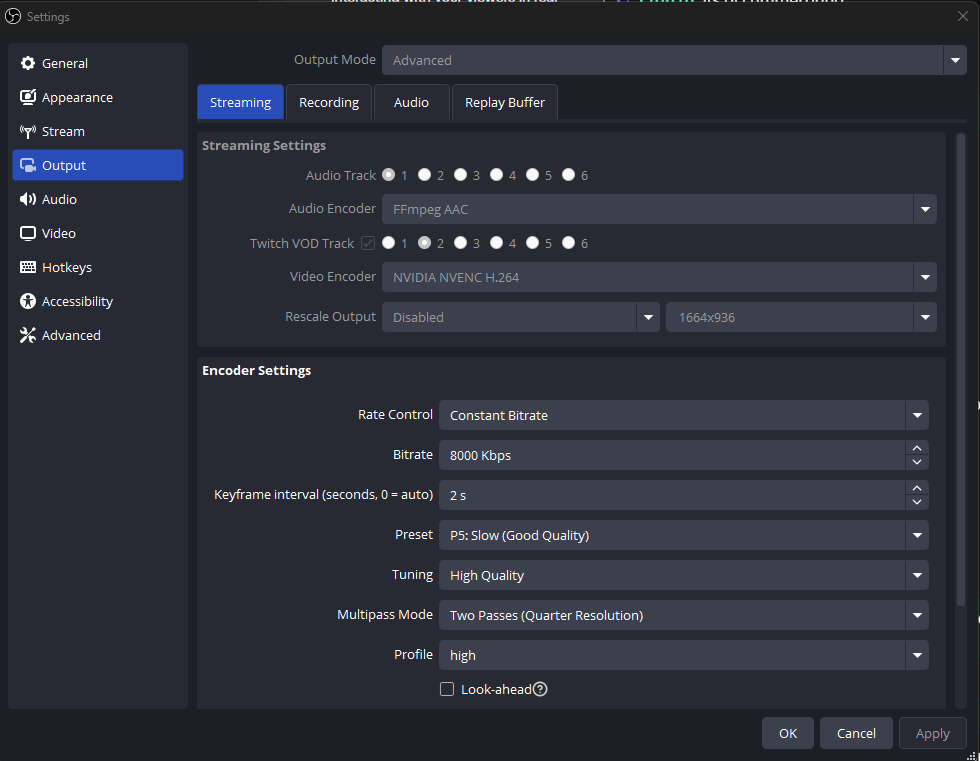
- Toggle the output mode to advanced

- Select "Twitch VOD Track" as #2

- In your volume mixer, select the track in which your music is coming through, right click, and go to "Advanced Audio Properties"
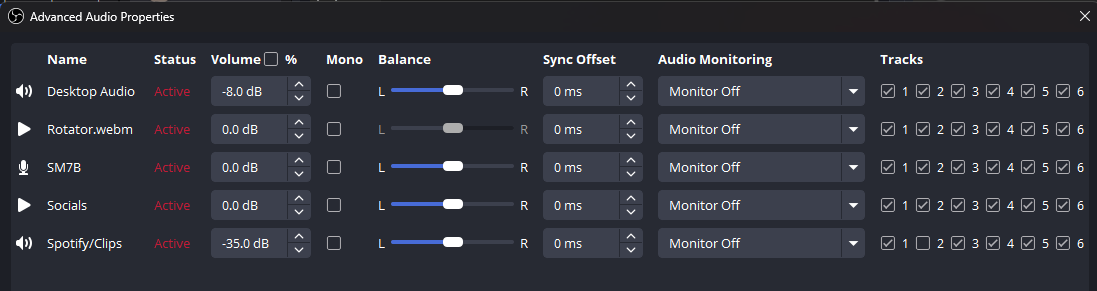
- Deselect the VOD Track #2 from the appropriate input device
That's it! If you have issues, find me in my Discord or in my Twitch chat